Wednesday, January 4, 2023

Program Audi R8 TPMS with Autel MaxiTPMS PAD

 Just want to do this simple writeup and let everyone know I had great success with this method.


Instead of programming / reset a new set into the R8, clone the TPMS sensors to fool the car it still using the original TPMS sensors

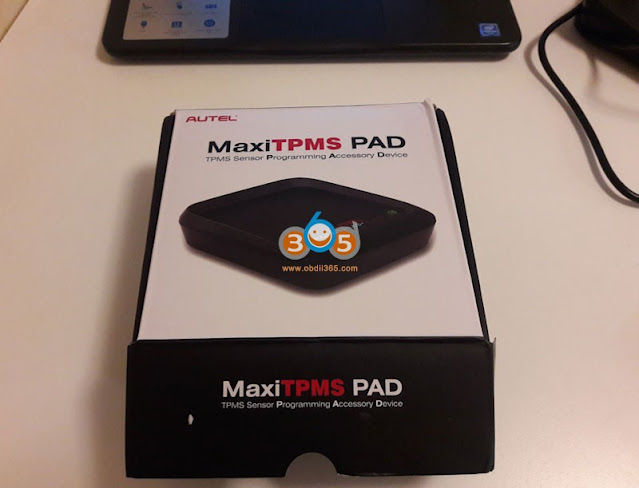
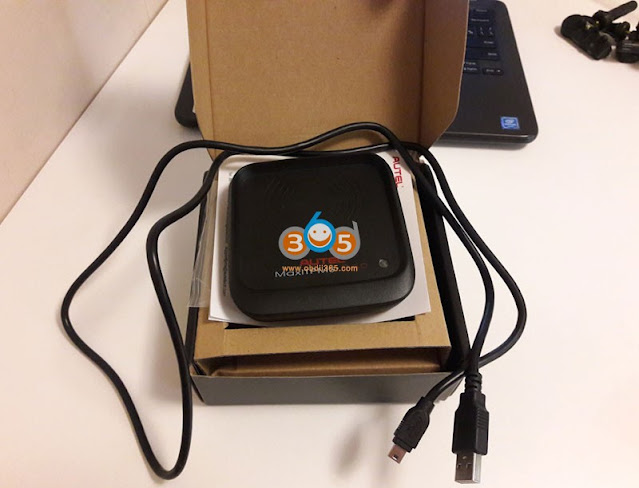
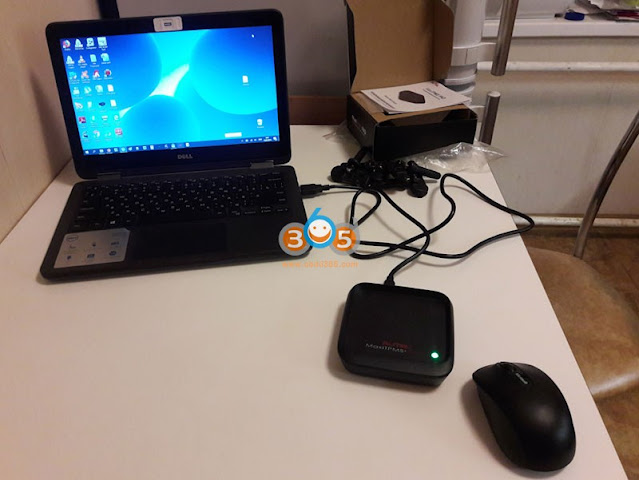
1. Buy a AUTEL MAXI PAD ($49.99 )

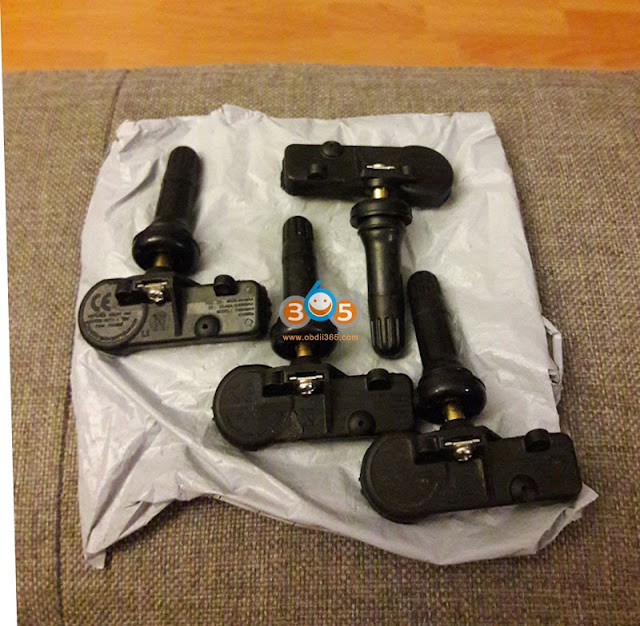
2. Buy Autel MX-Sensor Dual Frequency (315MHz + 433MHz) Screw-in OE-Level Universal Programmable TPMS Sensors for Tire Pressure

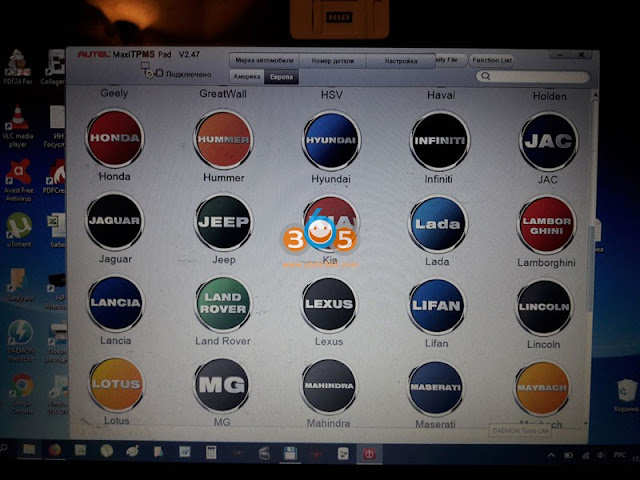
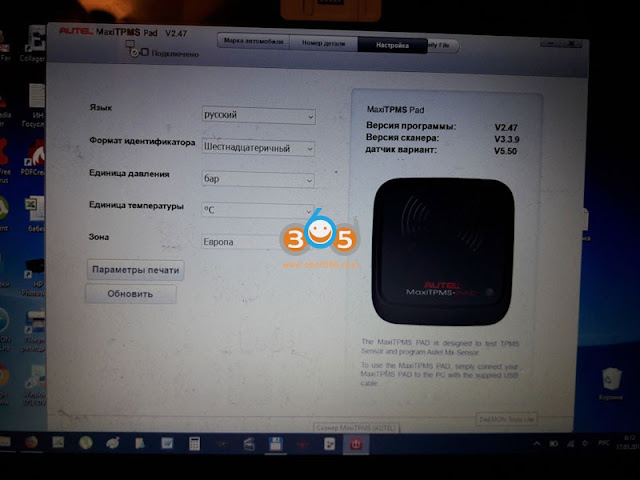
3. Install and Open the Autel MaxiTPMS Pad Software. Go to AUDI Make and Select R8 specific
to your year.
Program Audi R8 TPMS with Autel MaxiTPMS PAD 1

4. Go to Copy Sensor Tab. Place the Autel MaxiTPMS Pad next to each stem of the TPMS Valve next to the tire and click TEST. This function will copy the code of the Factory TPMS Sensor ID. Once it beeps and test successful, place the new AUTEL TPMS Sensor on the PAD and Click Program. I copied and cloned each sensor one at a time and marked each sensor LF, RF, LR, RR.
Program Audi R8 TPMS with Autel MaxiTPMS PAD 2

Once it's all done I got the sensors mounted and install the new rims/tires on the R8. No TPMS lights or anything. The car didn't even realized anything had changed.

Overall cost was under $200.

Thursday, December 15, 2022

Autel TS508 Relearn Subaru BRZ TPMS Sensor

 I have two sets of wheels, both of which have all OEM sensors. So it’s a hassle to look at the TPMS warning logo on the dash when I am using the set of wheels not from factory. I investigated the issue before, but the solution I found here was pretty clumsy. But recently I became aware of Autel‘s TPMS tools (TS508) and decided to try it out. It worked out quite well.


Start from the advanced mode

Autel TS508 Relearn Subaru BRZ TPMS Sensor 1

Select my car Subaru->BRZ->2011-2020

Autel TS508 Relearn Subaru BRZ TPMS Sensor 2

Autel TS508 Relearn Subaru BRZ TPMS Sensor 3

Autel TS508 Relearn Subaru BRZ TPMS Sensor 4

Select position relearn

Autel TS508 Relearn Subaru BRZ TPMS Sensor 5

In general, there are three ways to relearn. Stationary relearn, automatic relearn and ODB 2 relearn. For my car, the last is the only choice. You have to have a tool to do it.

Autel TS508 Relearn Subaru BRZ TPMS Sensor 6

The next is the steps for OBD relearn

Autel TS508 Relearn Subaru BRZ TPMS Sensor 7

Autel TS508 Relearn Subaru BRZ TPMS Sensor 8

Autel TS508 Relearn Subaru BRZ TPMS Sensor 9

Autel TS508 Relearn Subaru BRZ TPMS Sensor 10

Just follow Autel TS508 instructions. I got to this screen.

Autel TS508 Relearn Subaru BRZ TPMS Sensor 11

Autel TS508 Relearn Subaru BRZ TPMS Sensor 12

Autel TS508 Relearn Subaru BRZ TPMS Sensor 13

Autel TS508 Relearn Subaru BRZ TPMS Sensor 14

And that’s it! The light on the dash is gone.

Tuesday, March 8, 2022

Program Jeep Summer Tires with Autel MaxiTPMS PAD

 Spring is coming and it’s time to replace a set of summer wheels. This is a Jeep Grand Cherokee SRT-8 (WK2). The programming procedure can be applied to other models.

Back in the summer, I bought myself a new set of tires. The tires on which I bought the car were already worn out, cracked, etc. Last season I decided to ride on it, and for this summer to change tires. Both old and new tires are the same Pirelli Scorpion Verde runflat 295 45 20. I don’t want to leave the runflat, even though it is heavier.

Initially, there were no sensors in the summer wheels, I think they were stolen from the previous owner during painting and ordinary valves were installed.
The Chinese sensors in the winter kit showed themselves perfectly, they registered themselves, they didn’t give a single error for the whole winter. So I decided to repeat the experiment.
On Aliexpress , another set was ordered at number 56029398AB.

Program Jeep Summer Tires with Autel MaxiTPMS PAD 1

Program Jeep Summer Tires with Autel MaxiTPMS PAD 2

Then i ordered the Autel MaxiTPMS pad.

Program Jeep Summer Tires with Autel MaxiTPMS PAD 3

Program Jeep Summer Tires with Autel MaxiTPMS PAD 4

Program Jeep Summer Tires with Autel MaxiTPMS PAD 5

The main task of the device is to make clones of original sensors on any car from Autel sensors, but it also has the function of checking any sensors, this was the main point, to check Chinese sensors before installation. It also often happens that the id number written on the sensor does not match the number registered in the sensor, and if it is necessary to register the sensors manually, this will be a problem.

Download software https://www.auteltech.com/autelcms/u/cms/www/201707/100452133999.zip

We put the program on the computer

Choose a car brand, choose the year of release

Program Jeep Summer Tires with Autel MaxiTPMS PAD 6

Program Jeep Summer Tires with Autel MaxiTPMS PAD 7

You can use the original sensor number

Program Jeep Summer Tires with Autel MaxiTPMS PAD 8

Spare parts on the photo: 05154876AA , 06421S3VA04 , 06421SCVA00 , 103460200A , 10394110 and others

Put the sensor on the PAD

Program Jeep Summer Tires with Autel MaxiTPMS PAD 9

Program Jeep Summer Tires with Autel MaxiTPMS PAD 10

We press check, we hear peak-peak-peak and blinking of a green light and see on the screen

Program Jeep Summer Tires with Autel MaxiTPMS PAD 11

Parts pictured: 56029400AE

The screen displays the sensor ID, temperature, battery status

For the correct display of the parameters, set the parameters in the settings

Program Jeep Summer Tires with Autel MaxiTPMS PAD 12

Spare parts on the photo: 1703201 , 1708201

Just in case, I wrote down the ID numbers on the sensors.

Program Jeep Summer Tires with Autel MaxiTPMS PAD 13

I also prepared reciprocal stickers in order to stick them on the disks from the inside, so that during installation you can understand where which sensor is, again, if you have to prescribe it manually.

I went to the tavern and threw the rubber, inserting sensors.

Program Jeep Summer Tires with Autel MaxiTPMS PAD 14

Program Jeep Summer Tires with Autel MaxiTPMS PAD 15

In general, the jeep is waiting for the installation of the summer, let’s see how the sensors register. There were no problems with winter roads, they registered immediately, they never failed during the winter.

By the way, another feature of the Autel TPMS PAD is the ability to read the sensor on the assembled wheel.

http://blog.obdii365.com/2022/03/08/program-jeep-summer-tpms-sensors-with-autel-maxitpms-pad/

Thursday, November 11, 2021

Program 2018 Toyota Tacoma TPMS by Autel MX Sensor

 Some asked: is there a TPMS sensor in the spare on 2018 Toyota Tacoma?


The answer is: No… turd gens only have 4 slots of memory for tpms numbers… you have to get a tpms installed in the spare and either 1.) Get a shop or dealer to program tpms locations if you rotate the spare in 2.) Buy a programmer to do it yourself (what i did) or 3.) you dont rotate your spare and be comfortable not knowing what the psi is…

So, I used the Autel TS508 tool… Found out the tool only reprograms AUTEL MX-TPMS‘s… but will read/write any “OEM” sensor… Programming IS needed BUT it is recognized as OEM by the Autel TS508…. I “relearned” all the tire positions by scanning all the tpm’s… new auto part store tpm included… and boom… TS508 read/rewrote all scanned sensors… Truck is 100% good and tire pressure displayed after a few dozen yards of movement lol

I’m going to install the MX-TPMS, I can clone / program it with the TS508 and every tire rotation just “relearn” positions… less than 5mins to do the “programming”.


Updated:

Okay fellas….

Truck never threw a TPMS light but the pressures never appeared on the dash… I drove a lot this morning….

I said screw it and I used my tool and “relearned” positions, it all worked… more importantly, proved the MX sensor is read and recognized by the truck/ECU

Currently I have two NON-OEM sensors on the truck and my tool was able to write the ID’s to the ECU without a problem. One TPMS is from Orielly’s Auto Parts and the tool was able to write that one no problem…. the MX-TPMS needed programming since it is a universal tpms…. the tool was able to do that no problem.

Verdict?!

Tacomas only have 4 slots of TPMS memory…. programming the 5th will NOT allow you to “relearn” tires after full spare rotation by simply using the tpms button on dash…. sorry

While the tools require you to scan a 5th (Spare) TPMS and the ECU “learns” 5 sensors…. when you extract the info, it only calls out 4 slots of memory…. I can’t explain it and it really doesn’t matter to me anymore…. I have the tool and it is exactly doing what I need it to do.

if you guys want to save money, I highly recommend the Autel TS508…. in retrospect, I would have paid the additional $250 for the All-in-one tool to read Engine trouble codes and diagnostics, but I’m okay with keeping my bosh for the motor and this for the tpms.


it really is that easy to relearn all your tires.


Photos for reference, my dudes…. the screen is really clear in reality, the frame rate on the camera did not play well with the refresh rate of the screen

first two photos are the Autel MX Sensor… high quality… felt OEM


And notice on the final relearn…. the sensors, their ID’s and positions on the left…. ECU ID’s (they match when relearned) on the right…. see? Asked for 5 and only shows 4

Program 2018 Toyota Tacoma TPMS by Autel MX Sensor 1

Program 2018 Toyota Tacoma TPMS by Autel MX Sensor 2

Program 2018 Toyota Tacoma TPMS by Autel MX Sensor 3

Program 2018 Toyota Tacoma TPMS by Autel MX Sensor 4

www.obdii365.com

Wednesday, September 29, 2021

Program Aston Smarttire System Sensors by Autel TS401

 Question:

Can we clone the original (my car is an Aston Martin 2007) Smarttire system sensors with Autel? And the whole system is about $1500?. That's favorable to getting this done a couple times at a dealer, right?


Solution:

The Autel MaxiTPMS TS401 has the ability to program Autel MX universal sensors, which are around $20-$25. I've used the TS401 and the MX universal sensors on other cars and they worked without any problems.

I've not tried to program the MX universal sensors with the DB9 Smartire system yet; however, all indications seem that it's doable. Indications meaning -- I was able to pull the codes of the Smartire and the Autel site link I provided above seems to indicate that Smartire codes can be copied to the MX sensors. I've not done it yet -- mainly because my sensors are fine, but I'll likely experiment in the spring out of curiosity. I will, however, pull all the codes off the sensors and store them -- in case the sensor batteries die before i have a chance of testing it.

Related, the $1K+ MaxiSys MS906TS does an excellent job on reading the codes, resetting the service light,  program TPMS sensors like the TS401 etc. for a number of the higher end vehicles.


Below are instructions for programming a 433 MHz Autel MX sensor to support a Smartire system.


Relearn Procedure:

Please note:

If new ID is created for the this sensor, OE tool is needed to perform relearn.

With Autel tools, the only solution is to copy the OE Sensors' IDs, and no relearn needed.

There are two methods to copy the OE sensors' IDs.


Method 1:

1. Please perform a rapid tire deflation while pressing the trigger button on Autel tool to receive sensor data.

2. Then use the 'Copy By Activation' function to program Autel sensor.

3. Install the duplicated Autel sensor to the location corresponding to the OE sensor.


Method 2:

1. Uninstall the OE sensor, a series of numbers (173-1-1-XXXXXXX) are printed on its surface, among which XXXXXXX is the OE sensor's decimal ID.

2. Use the 'Manual Create' function to program Autel sensor.

3. Install the duplicated Autel sensor to the location corresponding to the OE sensor.


Note:

If necessary, please pay special attention to the sensor ID format conversion when using the 'Manual Create'.

I used method 2 and it worked perfectly. Went ahead and replaced all 4 SmarTire sensors. Saved a fortune.

Sunday, September 26, 2021

Mercedes 2012 E350 convertible TPMS Relearn with Autel

I changed the wheels on my new to me 2012 E350 convertible. I went with aftermarket wheels. During the process I decided to just go with a new set of TPMS sensors.
Immediately after driving the car away from the tire shop I noticed my TPMS was not working as I thought it would. Constant yellow tire light and “tire pressure system inoperative”.

TPMS I purchased was Autel MX-sensor from obdii365.com for about $120 (set of 4).

You’ll need to purchase a TPMS programmer, I got mine from Autel and it covers almost all sensors including OEM.

For reference TPMS out of the box are not programmed at all and need this In order for a vehicle to recognize it.

Here are the steps that worked with no problem.

1. Deflate tires completely flat.
2. Get your Autel MaxiTPMS TS401 and turn it on.
3. Find your make, model, year, sub model.
4. Press and hold Y
5. Select auto create
6. Press and hold Y again and go to the front right wheel, hold the device near the stem, and within seconds you’ll here a chime on the device meaning it’s been recognized.
7. Press and hold Y again and do the remaining 3 wheels.
8. Once you complete this process back out to where you original chose car.
9. Press and hold center button that looks like a wifi but symbol.
10. Machine promotes you which wheel to start with.
11. Again, once machine finds TPMS when held near stem the device chimes. Press and hold the symbol again and repeat until complete.
12. Once officially complete you’ll have a list of all 4 sensors you scanned and activated.
13. Re-Inflate tires.
14. Go for a ride. TPMS may still say inoperative. After driving for a few miles and nothing happens, pull over, turnoff car. Restart and drive again, tire light should start flashing and within minutes your pressures should appear on the screen.


Thursday, August 12, 2021

Autel TPMS Software Update in July 2021

 Autel TPMS series tools released new software updates in July 2021.


Autel MaxiSys MS906TS TPMS Update

Version: 906TS_Sensor_V6.20; Diag_V1.78; EPC_V1.03

Release Date: July 30, 2021

Highlights:


US Region:

1. Adds Automatic Selection Function for Porsche (up to 2020.12), Kia (up to December 2018), Mitsubishi (up to November 2020), and Subaru (up to 2019).

2. Updates Automatic Selection Function for Toyota and GM up to January 2021.

3. Adds Diagnostic Support for 371 Models up to 2021 including Mazda MX-5 and Cadillac XT4.


EU Region:

1. Adds Automatic Selection Function for Porsche (up to 2020.12), Kia (up to December 2018), and Mitsubishi (up to November 2020).

2. Updates Automatic Selection Function for Toyota and GM up to January 2021.

3. Adds Diagnostic Support for 458 Models up to 2021 including BMW ix, BMW ix3, and Aiways U5.


CN Region:

1. Adds Automatic Selection Function for Porsche (up to 2020.12), Kia (up to December 2018), and Mitsubishi (up to November 2020).

2. Updates Automatic Selection Function for Toyota and GM up to January 2021.

3. Adds Diagnostic Support for 369 Models up to 2021 including Xpeng G3, Aiways U5, and MG MG6.


Other Upgrades:

1. Updates System Texts in 13 Languages including English, French and Spanish. (EU)

2. Fixes the Problem of OBD Relearn Failure on Part of Models including Jaguar, Chrysler, and Nissan. (Global)

3. Adds ID Registration Function for Mitsubishi. (Global)


MaxiCOM MK808TS, MaxiPro MP808TS, MX808TS, TS608 Update

Version: Sensor_V6.20; Diag_V1.78; EPC_V1.08

Release Date: July 15, 2021


Highlights:

US Region:

1. Adds Automatic Selection Function for Porsche (up to 2020.12) and Kia (up to December 2018).

2. Updates Automatic Selection Function for Toyota and GM up to January 2021.

3. Adds Diagnostic Support for 371 Models up to 2021 including Mazda MX-5 and Cadillac XT4.


EU Region:

1. Adds Automatic Selection Function for Porsche (up to 2020.12) and Kia (up to December 2018).

2. Updates Automatic Selection Function for Toyota and GM up to January 2021.

3. Adds Diagnostic Support for 458 Models up to 2021 including BMW ix, BMW ix3, and Aiways U5.


CN Region:

1. Adds Automatic Selection Function for Porsche (up to 2020.12), Kia (up to December 2018), and Mitsubishi (up to November 2020).

2. Updates Automatic Selection Function for Toyota and GM up to January 2021.

3. Adds Diagnostic Support for 369 Models up to 2021 including Xpeng G3, Aiways U5, and MG MG6.


Other Upgrades:

1. Updates System Texts in 13 Languages including English, French and Spanish. (EU)

2. Fixes the Problem of OBD Relearn Failure on Part of Models including Jaguar, Chrysler, and Nissan. (Global)

3. Adds ID Registration Function for Mitsubishi. (Global)


ITS600

Version: Sensor_V1.11; Release Date: July 8, 2021
Version: Diag_V1.03; Release Date: July 19, 2021

US Region:
Adds Diagnostic Support for 347 Models up to 2021 including Mazda MX-5 and Cadillac XT4.

EU Region:
Adds Diagnostic Support for 406 Models up to 2021 including Audi RS6, BMW M3 and MG MG5 EV.

CN Region:
Adds Diagnostic Support for 342 Models up to 2021 including XPENG G3, NIO ES8 and Geely Atlas Pro.

Other Upgrades:
1. Updates System Texts in 13 Languages including English, French and Spanish. (EU)
2. Fixes the Problem of OBD Relearn Failure on Part of Models including Jaguar, Chrysler, and Nissan. (Global)
3. Adds ID Registration Function for Mitsubishi. (Global)

Version: TS508_Sensor_V6.21
Release Date: July 24, 2021
Highlights: None
Other Upgrades:
1. Adds Diagnostic Support for 14 Chinese car First Released Models, including ChangAn E-Star, Jetour X70M, 2020 BYD Song Plus, 2021 Xpeng P7, 2021 Haval Big Dog, 2021 GreatWall Tank 300, Haval H6 and 2017 Lifan X70.
2. Upgrades for a Total of 229 New Models in 2020-2021.

Version: TS408_Sensor_V6.21
Release Date: July 24, 2021
Highlights: None
Other Upgrades:
1. Adds Diagnostic Support for 14 Chinese car First Released Models, including ChangAn E-Star, Jetour X70M, 2020 BYD Song Plus, 2021 Xpeng P7, 2021 Haval Big Dog, 2021 GreatWall Tank 300, Haval H6 and 2017 Lifan X70.
2. Upgrades for a Total of 229 New Models in 2020-2021.